
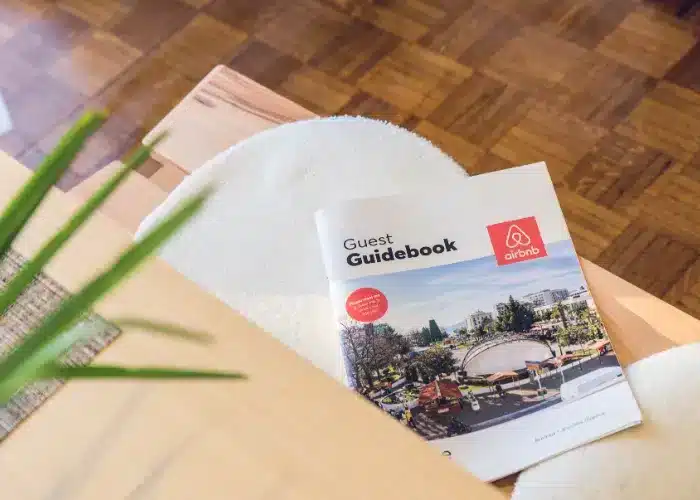
The difference between a 4.5-star and a 4.9-star Airbnb often isn't the property itself — it's the guest experience around it. A well-built guest guidebook can turn a good stay into a memorable one, and that earns you the kind of reviews that push your listing up the search results.
Whether you run a beach house in Byron Bay, a cabin near Lake Tahoe, or an apartment in Mexico City, your guidebook is an essential part of the experience. Local customs, logistics, and quirks differ from market to market — and from what your guests expect at home.
Why every property needs a better guidebook
Most stays draw a mixed guest list: families on holiday, digital nomads on extended stays, couples on a weekend getaway, business travellers in for a few nights. Each one arrives with different questions and different expectations.
A generic "here's the Wi-Fi password" page doesn't cut it. A good guidebook anticipates questions before guests ask them, cuts down on mid-stay messages, and positions your property as a thoughtful, well-run space that guests recommend to friends.
The essential sections of a property guidebook
Arrival and first impressions
This section handles the critical first 30 minutes of a guest's stay — the window that sets the tone for the whole visit and, ultimately, the review.
Getting from the airport to the property. Include specific instructions for the airports guests are most likely to fly into. For a place near Queenstown, explain the shuttle and rideshare options from the airport and roughly what each costs. For a property in Austin, point out which rideshare pickup zone to use and how long the drive takes in traffic. Estimated travel times and costs stop guests from getting caught off guard.
Check-in process. Walk through your check-in step by step — whether it's a lockbox code, a meet-and-greet with a property manager, or a smart lock PIN. Include photos if you can. If a local contact handles arrivals, include their phone number and the best way to reach them.
The first 15 minutes inside. Tell guests where to find the essentials right away: heating or cooling controls, drinking water, bathroom supplies, and how to connect to Wi-Fi.
Property operations guide
This is the section that prevents most mid-stay messages.
Heating, cooling, and fans. Thermostats and remote-control AC units aren't always intuitive. A quick guide with photos of the controls saves a lot of "how do I make it warmer?" messages.
Water and plumbing. Cover the hot water system, water pressure expectations, and any plumbing quirks. If there's a well or a septic system, say so and explain what guests should and shouldn't flush.
Kitchen essentials. What's provided (cooking oil, spices, coffee) and what isn't. Where the nearest grocery store is. How to use any appliance a guest might not recognise.
Pool and outdoor areas. Pool safety, operating hours for shared pools, how the cleaning schedule works, and any relevant rules. The same goes for hot tubs, fire pits, and BBQs.
Local area guide
This is where your guidebook turns from functional to genuinely valuable — and it's what earns you five-star reviews.
Restaurants by category. Group them by cuisine and budget. Add your genuine personal picks with a short description. "El Pescador — best tacos de pescado in town, around $8 a plate, a five-minute walk south" is far more useful than a generic list. Include map links.
Getting around. How to move around locally. Which rideshare or transit apps work. Whether walking or cycling is practical. Where to park and what it costs. If a car is essential — common in places like Sedona or Park City — say so up front.
Experiences and activities. Curate 5 to 10 standout things to do rather than listing everything. Your best calls on day trips, hikes, beaches, classes, and local events. If you have partnerships with local operators, this can become a revenue channel through upsells.
Practical information. Nearest ATM, pharmacy, clinic or hospital, and convenience store. Mobile data and SIM options for international guests. Local tipping customs.
Local context and house norms
Every market has its own etiquette, customs, and practicalities. A good guidebook covers them so guests feel oriented instead of unsure.
Local etiquette and customs. Note anything a visitor wouldn't know by default. In Hobart that might be quiet hours and how seriously neighbours take them. In Buenos Aires it might be how late restaurants serve dinner. In a building with shared walls, spell out noise expectations and any HOA or strata rules guests are bound by.
Respecting the neighbourhood. Where to put bins out and on which day. Where guests can and can't park. How many people the property is approved for. In residential areas, a calm note about being a good neighbour goes a long way — and protects your standing with the people next door.
Safety awareness. Current, relevant safety information — common scams, road conditions, water safety at specific beaches or lakes, wildlife to be aware of on local trails. Frame it helpfully, not alarmingly.
Digital vs. physical guidebooks
The most effective approach combines both:
Digital guidebook — sent by automated message before arrival and available throughout the stay. Easy to update, searchable, and always on the guest's phone. Connect it to your property management software so it goes out automatically as part of your check-in flow.
Physical welcome book — a printed or laminated guide at the property for quick reference. Add QR codes linking to the digital version for detail. Many guests prefer a physical reference for in-property instructions like thermostat controls and kitchen operations.
The review impact
Properties with thorough, thoughtful guidebooks tend to score higher on guest reviews. That review lift feeds straight into better search ranking on OTAs, higher booking rates, and the ability to charge a premium.
More importantly, a great guidebook produces the kind of specific, enthusiastic review comments that influence future guests. "The host's restaurant recommendations were incredible" and "Everything we needed was in the guidebook" signal a well-run property that potential guests trust.
See how Symplehost handles guest messaging and check-in communication →
Your co-host never sleeps. So you can.
Try Symplehost free for 30 days. No card, no setup fee, no demo call.